Wednesday, July 29, 2015

Upgrading a Windows 8.1 VM to Windows 10

So now that Windows 10 has been released, I thought it was time to do more than just "play" with the Technical Preview.

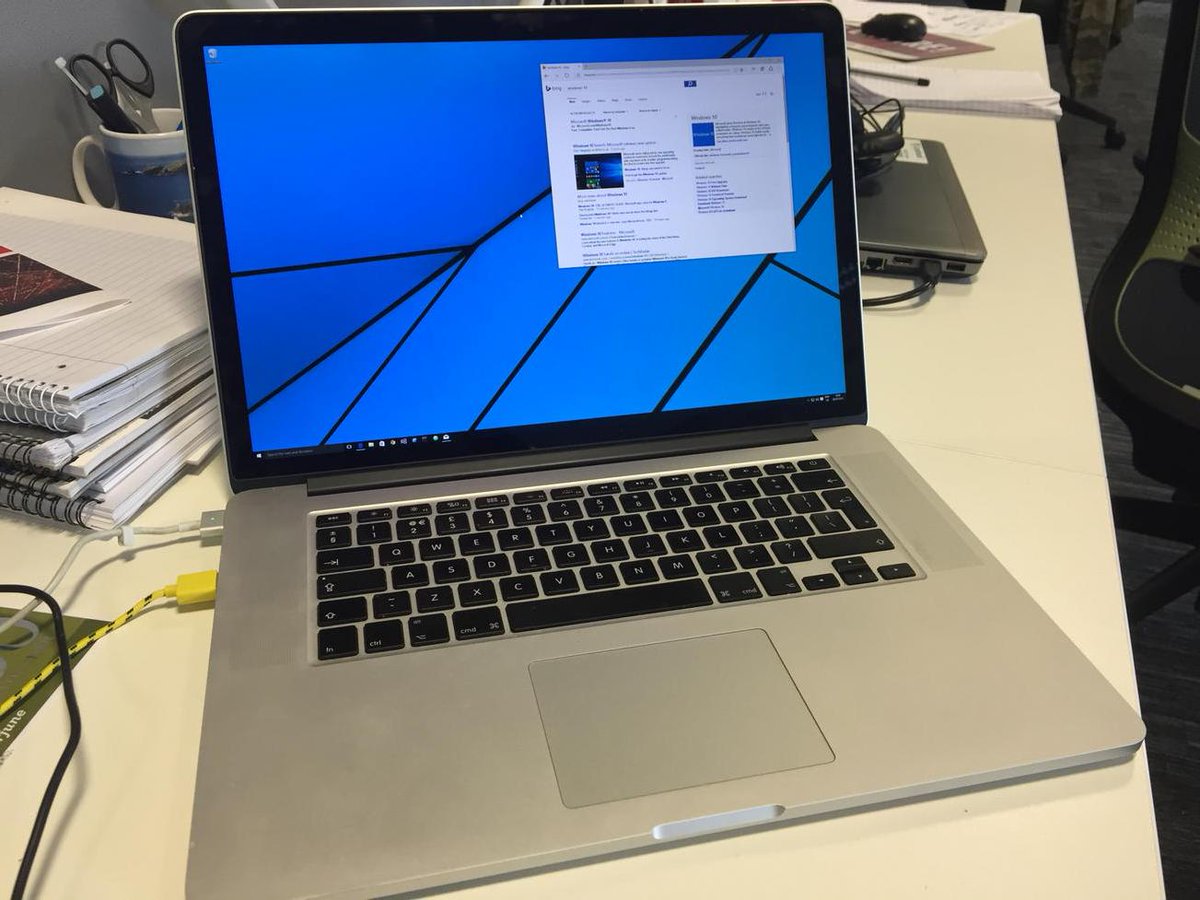
My victim candidate was the Windows 8.1 VM I have on my Macbook Pro for dev and demo work - if it all went pear shaped then I could just blow the VM away and start again.

Issue 1 - I didn't have the "Get Windows 10" icon on my start bar


This has been bugging me for a while, as I've been expecting that to appear automagically over the past month. But it's been stoicly absent. Turns out that if you've got a domain joined PC you'll get the GWX app with the relevant KB 3035583 update, but it'll not work.

So the only way forward was to download the ISO and run the update from that.

Issue 2 - You need 9.5GB free to install Windows 10


Typically, I had less than 1GB free - until Disk Cleanup showed 5GB of Temporary files and 4Gb of old installers - better than trying to change the size of the physical BootCamp partition my VM was on.

Installing - was actually pretty easy


About as painless as any other Windows install / upgrade - the install worked fine, letting me sign back in to complete the process... and then

OMG - Black Screen!


It was all going far too well - there had to be a hitch... 


rammesses
Slightly worrying that my #Windows10 upgrade has been stuck showing a black screen for the last 20 minutes. Cursor moves, so still #Hopeful
29/07/2015 14:37

It seems several people have had this problem when a PC (virtual or otherwise) boots for the first time into Windows 10. There's a thread here about it - but the upshot is that you just need a reboot!

In VMWare Fusion I just triggered that from the Virtual Machine menu and I was back... but only at 1924x768 resolution.

Drivers!


There wasn't anything I could find on the web indicating whether the Bootcamp and VMWare Tools drivers would work with Windows 10 - so I crossed my fingers and gave it a go... and it worked!


All that was left was to tweet that I'd succeeded... 


rammesses#Windows10 running under #VMware Fusion on a MBP in #Retina resolution - #Done http://t.co/30Oeh2lfWM29/07/2015 16:11

Tuesday, June 02, 2015

Tuesday Quickie - Transaction Manager Errors are not always what they seem

This one bit me today for the second time, so I thought I'd blog about the problem - more than as a reminder to myself than for any other reason.

On one of our environments, database changes weren't being saved with the following cryptic error message:
Communication with the underlying transaction manager has failed.-- COMException - The MSDTC transaction manager was unable to pull the transaction from the source transaction manager due to communication problems. Possible causes are: a firewall is present and it doesn't have an exception for the MSDTC process, the two machines cannot find each         other by their NetBIOS names, or the support for network transactions is not enabled for one of the two transaction managers.
The actual cause?

A single rogue space in the connection string.

Go figure!

Wednesday, May 20, 2015

Tuesday Quickie - Suppressing SignalR in the Developer Console

This quickie came from a conversation Bart Read and I had on Twitter about how hard all the traffic SignalR generates makes using the Network tab in the Chrome Developer Tools.

In the end, I had a brainwave and found a simple solution - with a little digging and experimentation.

All you need to do is click on the filter icon on the Network tab's toolbar and enter the following magic incantation

-transport -negotiate

This pretty much kills all the SignalR traffic and lets you get back to debugging your own code.


Friday, February 27, 2015

Friday Quickie - dumping parameters from a TFS build definition

So here's the scenario - Ops have changed the TFS build infrastructure underneath you and the build definitions for an "older" project aren't working.

You open the build definition in Visual Explorer, and lo and behold, there's a warning triangle on the Process tab. 

Opening that, and you find that the one of the properties (in this case a deployment script) is now empty and showing an error circle.

The problem is that because it's invalid, the editor has cleared the property - even opening the dialog doesn't help - it's all gone.

So how do you find out what the property WAS so you can fix it?

Well, first, close the build definition WITHOUT SAVING IT!

Next, fire up a Visual Studio Command Prompt and CD to the folder that's mapped to the root of the source code in TFS.

What you need is command line tfpt.exe tool from TF Power Tools (you had that installed already, didn't you?). This has a handy BuildDefinition /dump option that will show you what's in the build definition - regardless that it's invalid.


You can now open the text file in notepad and see what the property WAS - job done.

Sunday, September 21, 2014

Pushing the Octopus South...

On Thursday last (18th Sept), I was privileged to take my OctopusDeploy talk on the road again at Developer South Coast in Southampton.

I'd been having trouble the previous evening with the VMs I used at ChesterDevs, and had not been able to access them, so I took a gamble and instead of demonstrating Octopus on a prepared rig, started from scratch installing the server and tentacle onto new VMs.

Even that wasn't enough difficulty for the Demo Gods, clearly, as both my Macbook and the WindowsVM on it rebooted during the talk, and my Mifi dropped its signal out to the point that I had to borrow connectivity from a kind member of the audience at the break.

But in spite of all these problems, I managed to get through the demo and show that you can actually get Octopus up and deploying from scratch within about an hour.

All the resources for the talk, including the slide-deck, sample solution, etc can be found here:

https://github.com/Rammesses/ddd-octopus

I've got to thank John McLoughlin for inviting me to talk - my company Landmark Information Group (http://www.landmark.co.uk@LandmarkUK) for supporting me as I share our experiences, and to the @devsouthcoast audience for their patience and enthusiasm.

Monday, September 15, 2014

Monday Quickie - Using IIS Application Initialization for keeping ASP.Net Apps alive.

This came about from trying (and failing) to remember that one liner for registering components with IIS for correct teardown.
HostingEnvironment.RegisterObject(launcher);
I finally came across the article by Rick Strahl that I'd been looking for, which covers everything:

Use IIS Application Initialization 
for keeping ASP.NET Apps alive

Seemples.


Thursday, September 11, 2014

Thursday Quickie - Which of my packages does my code use?

I had the problem today of wanting to see what versions of my private packages were being used by a specific branch of my codebase.

The solution is a very small powershell script that parses packages.config files and finds the unique dependency packages who's name matches 'MyNamespace'.

Get-ChildItem -recurse -include "packages.config" |  
select-string -pattern "MyNamespace" |
%{ $data = $_ -match 'id="([\w\d.]*)" version="([\d.])*"';    write-output $matches[0] } | 
sort | select -uniq


Quick and simple.

Sunday, August 31, 2014

On the road once again.

As the autumn draws in, I'm on the road again and am privileged to have been asked to speak at the following developer community events:


See you all there!

Tuesday, July 01, 2014

Tuesday Quickie - Transforming App.Config

Another aide-memoire...

By default, app.config files are NOT transformed in the same way as web.config files.

But there's a fix... involving editing the project file (sigh).

Gunnar Peipmann covers the process in detail here: 

http://gunnarpeipman.com/2013/11/using-web-config-transforms-with-app-config-files/

Thursday, March 06, 2014

Pushing the Octopus to Chester

Last night I was up in Chester presenting my "Introduction to OctopusDeploy" talk to the ChesterDevs group - my first real user group presentation (as opposed to DDD or in-work ones).

The audience was attentive, asked good questions and were enthusiastic about what OctopusDeploy could bring, so I think it went very well in spite of some technical issues - having to use my MiFi for internet connectivity wasn't ideal and meant I couldn't demonstrate a build pushing to MyGet. 

The post-event chat in the pub was excellent and engaging too - continuing the discussion of how good process can help with delivering better software.

All the resources for the talk, including the slide-deck, sample solution, etc can be found here:

https://github.com/Rammesses/ddd-octopus

I've got to than Fran Hoey for inviting me to talk - my company Landmark Information Group (http://www.landmark.co.uk@LandmarkUK) for letting me take a day out of the office to share our experiences, and to the ChesterDevs audience for their patience and enthusiasm.


Thursday, February 13, 2014

NuGet.TfsBuild v1.1 Released

Late last night I released NuGet.TfsBuild v1.1 to nuget.org.

This is a minor update - but brings an extra feature into the tooling - the ability to configure the HTTP Proxy that NuGet uses when restoring packages.

If you've not heard of NuGet.TfsBuild before, it's a little NuGet package that helps you use a private, password-protected NuGet repository for you internal dependencies and specifically when using cloud TFS build services. 

You can read all about it's creation and use here.

We've now been using it on our on-premise build servers so that we don't have to manually configure our private NuGet package source on each server manually - but there was a problem.

Our build servers are on-premise, and are protected behind firewalls, so need NuGet configured to use a specific HTTP Proxy. The good news is that NuGet.exe already supports this, so it was just a small change to the MSBuild targets file to add this into NuGet.TfsBuild.

You enable and configure this feature by using the following extra MSBuild switch:
/p:NuGetHttpProxy=http://{myProxy}:{myProxyPort}
If your proxy requires a specific user, then add
/p:NuGetHttpProxyUser={myProxyUser}
Simple.

For bonus points, I also fixed that irritating warning that the tooling would generate when it tried to remove the package source before re-adding it - so your builds will now be cleaner.

Enjoy!


Tuesday, November 19, 2013

NuGet.PackageNPublish - The Roadmap

To date, development progress on NuGet.PackageNPublish has been pretty erratic. Fundamentally, this is due to it being my pet project, and changes / fixes / enhancements have only been forthcoming when and if I personally need them.

As we approach 13,000 downloads of the tooling (thanks, all), I figure I ought to have come up with some kind of roadmap - so here are my thoughts

v0.8

This will bring the tooling up to date and use v0.8.0.2 of the NuGet.PackageNPublish nuget package, fixing the following issues:


I'm basically there with v0.8 - just final tidy ups and the release note to do - tho' I've been promising that release for a good month now - sorry.

v0.9

This is the time to shake things up a bit - specifically, I planning on dropping support for the VS2010-flavour VSIX build project, replacing it with a VS2013-flavour one. This will mean that the tooling can only be build on VS2013 and above, but I don't think that's too much of a step forward.

Also, I have a mad plan to add two new project templates to the tooling:

  • Octopus Deploy Package
    This project template is basically the equivalent functionality to adding OctoPack to a web project, but broken out into it's own packaging project.

  • Octopus Deploy Azure PackageThis project template is what I demonstrated (manually) at DDD East Anglia and DDD North 2013 this year - a packaging project that's designed to take the output from an Azure cloud project and package it for OctopusDeploy.


v1.0

This is the big one - I plan on finally fixing the single most troublesome issue with NuGet.PackageNPublish:


With that fixed, I'm of the opinion that the tooling would at last be "feature complete" (hence the v1 release). 

So that's my plan... and I'm very much open to your comments on it, and on what the focus of the v2 stream should be!

Monday, October 21, 2013

DDDNorth 2013 - A retrospective

So it's the morning after the DDDNorth before, and for a change I'm going to write my retrospective with the event fresh in my mind.


Update & Admission: It took more than that morning to finish this post!!

I'd flown up to Newcastle the night before, and stayed the night in The Roker Hotel along with a few of the usual suspects, so in spite of a fairly late pre-DDD night in the bar, a bracing early morning run along the front and a good Full-English breakfast (with proper Black Pudding) ensured I was refreshed and ready for the day.


Catching a lift over to the venue (thanks Dave) got me to the venue bang on time.  


Early Morning on a Saturday


The venue for DDDNorth was the University of Sunderland campus at St Peters - using the library and its cafe as the central meeting point, sponsor showcase and general chat area, with sessions in that building, the David Goldman Informatics Centre and the Sir Tom Cowie Lecture theatre. 

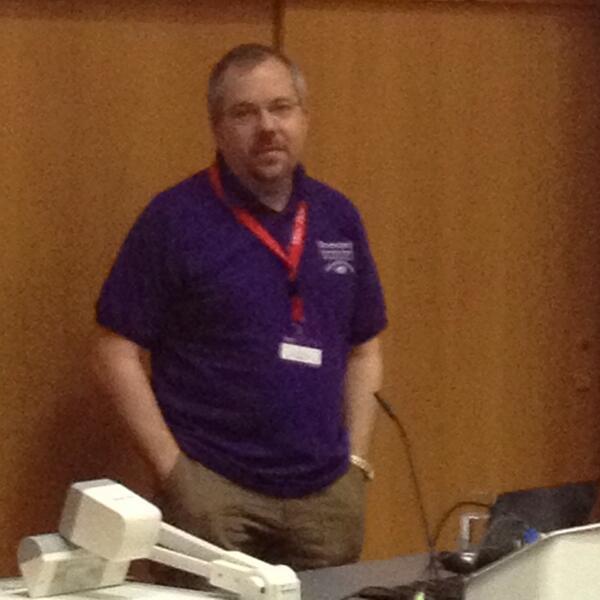
The speaker room was in the Informatics Centre, so that was where I headed first, just in time to hear the speaker briefing and grab my (very nice, and Sage sponsored) purple speaker's t-shirt. Pleasantries over it was straight over to the library building for my first session. This time, I was much more comfortable with my presentation and equipment, and was on after lunch, so could properly enjoy DDDNorth as a delegate as well as a speaker.

First up was Phillip Trelford.


F# Eye for the C# Guy


Given that F# was added to VS2010, I'm amazed I've not even written "Hello World" with the language, so this introduction was always going to be new information to me.

Phil's presentation style is one full of energy, and I think he bagged the first ponies of the day in about the first 5 minutes, making the point that whilst it's often considered a language for "Financial / City" types, the 'F' is actually for FUN.


"F# is a statically typed, functional first, object orientated, open source .Net language, based on OCAML and available in VS and Xamarin studio."

Phil then went on to compare a 40-50 line implementation of an immutable POCO with first the 12 line and then a ONE line F# implementation. And then followed this up with examples of unit testing F# using effectively plain english tests via the TickSpec package, and "metaprogramming" samples using the F# quoting syntax ( <@ some code @> ) and the Unquote NuGet package.


"F# code is consistently shorter, easier to read, easier to refactor
and contains fewer bugs than its C# equivalent."

I was fairly skeptical when Phil stated that 30,000 lines of C++ code (for an unnamed financial system) had been replaced by only 200-300 lines of F# until he demonstrated a fully functional spreadsheet written in less than that!

Finally, he showed some of the "even funner" aspects of F# - including Pacman and Mario written in F# and cross-compiled to Javascript using Funscript.

I think that the F# eco-system is one to watch, and am very glad to have had such an engaging introduction from Phil - even without his "F# language jobs pay more" slide!


Scaling Systems: Architectures that Grow


Kendal Miller's session was a no-code, all-content affair that was entertaining, enlightening, and provided a 4-point guide to the issues surrounding scaling enterprise-level systems. The fact that I ended up with over 6 pages of notes is testament to how well he engages his audience.

First up was a mantra to code by:


"Time you spend making your software scale is time you're NOT spending delivering functionality."

Kendal then described how most applications (web or otherwise) will fail to scale out of the box, but when considering scalability you need to target the lowest practical numbers for response and loading as "scaling costs REAL money". The techniques usually applied to the problems of scalability he described as only "tactics" - understanding the key principles first is more important.

Kendal then described the four key factors to scaling - 3 that enable you to scale, and one that throws a spanner in the works of all four - Kendal's ACD/C factors:

  • A - Asynchronicity

    Do work - just NOT in your critical path. Defer it to later, or do it ahead of time.

  • C - Caching

    Don't do any work you don't have to - the fastest query you can ever run is the one you only ever have to run once.

  • D - Distribution

    Share the work between as many workers as you can - this is the easy route.

and the kicker

  • C - Consistency

    Agreeing on the level of consistency REQUIRED is the compromise that has to be made.

Kendal then went on to explain these all in much more detail, with great anecdotes to support his opinions - including describing how Amazon do basically NO work at all at the point of you placing and order, and how a he once lost an entire tractor in spite of what his inventory system said. 

I loved Kendal's session, and will be pushing ACD/C hard at work.

Last up before lunch was Richard Fennel's

Automation is not the end of the Story

Richard started by setting the scene with what he considers the minimum for build automation


  • Continuous Integration
    • Unit Tests
  • Nightly FULL builds
    • Static analysis
      • FxCop, CAP.Net, SpCop, StyleCop
    • Signing & Obfuscation
    • Deployment packaging
  • Manual release builds
He then went on to discuss what "deployment workflow" considerations should be made - in particular who can sign off a build as acceptable and who can promote between environments.

"Your build should be a bridge to the operations team - a shared language"

Finally, Richard gave a whistle-stop tour of some of the tools that are available when taking your build process beyond the desktop, including


  • ALM Rangers TFS Build Best Practice
  • Lab Management
  • OctopusDeploy
  • MS Virtual Machine Manager 2012
  • ALM Rangers VM Factory
  • Puppet
  • Chef
  • DevOps Workbench (Beta)

Richard's talk was informative and thought-provoking, and gave pointers to some tools I wasn't aware of and will definitely investigate - and it was a good precursor to my talk on OctopusDeploy.

Lunch was the usual brown bag sandwich affair, and with very nice sandwiches too, which I spent in the Library Cafe catching up with Eric Nelson and others. I had to make my excuses and leave a bit early because I wanted to check out the equipment in my room, as I was up next with

An Introduction to Octopus Deployment

This was my talk in which I covered the basics of WHY you need automated, repeatable, controlled deployments and WHAT OctopusDeploy is and HOW it provides a very nice out-of-the-box solution.

I demonstrated deploying a web app using OctoPack to package it and the Tentacle deployment method for "local" servers, alongside the SFTP method for "remote" servers (in my case an Azure WebSite).

Finally I showed how Azure deployments require a specific flavour of OctopusDeploy package, and how my NuGet.PackageNPublish tooling could be tweaked to create it.

All the resources, projects, slide decks, etc can be found in the GitHub repository.

I must admit to a certain amount of trepidation - amongst the 30 or so audience were the inimitable Liam Westley (who kindly acted as my room monitor) and Richard Fennel. Given how attentive (and non-heckling) both were I think it went well - and it was lovely to receive a tweet the next day from another attendee saying that they would be using OctopusDeploy soon because of my talk.


Update: The feedback scores are in - and very positive. I promise to talk louder next time tho'!

Finally, I moved just into the next room to hear Liam Westley talk about

Event Store


Event Store was created by Greg Young (of CQRS fame), and is an open-source document database written in C# with an embedded Javascript v8 engine that can be installed in single-node or High-Availability modes.

Liam quoted Jeff Attwood, saying

"OR Mapping was the Vietnam of Computer Science"

and went on to describe how metadata within a software system can often be as important as, or even more important than the data on which the system operates - and yet it is most often lumped together with that data in some kind of relational store.

Event store addresses this by providing a tighter focus - it's create & read ONLY, there are NO updates and NO deletes - the data is immutable in perpetuity.

It provides a simple, performant ReSTful api over HTTP or TCP using AtomPub as the representation. As such it's designed to be cached, and provides automatic versioning and an implicit CQRS / message queueing architecture.

"Indexes" (and you have to use that description lightly) are provided with data projections implemented using a Javascript derived domain language.

Liam then went on to demonstrate how to set up Event Store (including the oh-so-important

netsh http add uracl url=http://*.2213/ user=<serviceUser>

to enable access to the Event Store service.

Next up were demonstrations of projections against the DDDNorth agenda data that showcased how data can be transformed into "streams" of filtered, sorted or aggregated derived data - which is where the power of the software is really manifest. And not forgetting to start Event Store with the --run-projections=ALL option.

All in all, Liam managed to pack a lot of demos of a new and exciting addition to the software developer's toolkit into a short time - yet more to investigate.

Close

The day ended with the usual thanks, swag and farewells - including Sage giving a Surface Pro away, a NDCLondon Golden Ticket (won by Dave!) and Microsoft a MSDN license.

The young lad who won the latter was a student at Sunderland, and was initially non-plussed by the small package. When he asked "So what's this worth?" and being given the answer it was a joy to see his reaction - first shock at the monetary value, then what looked like abject terror at the value of the associated licenses, and then finally the slow realisation that he'd been given the tools to really make the most of his calling to software development. 

I could think of no greater illustration then of how powerful the DDD movement can be - bringing together devs from all backgrounds and levels to learn and share in our community.

Andy Westgarth had once again provided a perfect day, marshalling a great array of sponsors, providing a great venue and a great line up of speakers. The crowd rounded it off by giving him a rousing ovation - ultimately absolutely deserved.

Roll on next year - somewhere in the North West.


Tuesday, October 08, 2013

Announcing NuGet.TfsBuild - Private package repository support for TfsBuild

TLDR: NuGet.TfsBuild is a new NuGet package that works with NuGet Package Restore so that private (protected) package repositories can be used with TF Build Services.


A couple of months ago, as an experiment at work, we set up a real project on the cloud-hosted TFService. The goal was to see whether the entire project could be run in the cloud - from work item management, source code control, builds and automated testing. 


Because this was a "REAL" project, we were leveraging NuGet packages from our internal NuGet server - ones that contain proprietary code and couldn't just be shoved onto a public NuGet server. So the packages had to be sourced from a private, protected NuGet server - specifically a private MyGet feed created for the purpose.

But that's where we hit a bit of a snag - we wanted to use TF Build Services to avoid having any specific build server (virtual or physical) - but that means not being able to configure additional NuGet package sources.

You'd think that you could just add the package source to the nuget.exe.config chat gets checked in when Package Restore is enabled - the problem is that the credentials for a private package source are encrypted in the file using a key that's specific to the specific user on the specific machine that's doing the build.

And that would never work with TF Build.

Our solution - a NuGet package that adds an additional build step to the project that reads the package source and credentials from the MSBuild parameters - i.e. from the build DEFINITION rather than either the source, or machine configuration.

The upshot - it just works. The private package source is configured at the start of the build, just before PackageRestore kicks in for the first project being built (usually your "primary" project).

So today I'm very pleased to announce that Landmark Information Group ( http://www.landmark.co.uk /http://twitter.com/LandmarkUK ) have released this little helper package on NuGet.org, with the source code released under the Apache 2.0 license on GitHub.


Fork it, fix it, raise issues, generate pull requests, use it and enjoy it!